Undergraduate research · Oregon State University
Remote Lab Vision
2025 – 2026
Abstract
Two lab rigs let students run chemistry and chemical-engineering lab work through a computer, observing it through a camera. I benchmarked four cameras in LabVIEW on the resolution and frame rate each actually delivered and on their RGB intensity histograms, picked the OBSBOT Meet 2 4K, mounted it on aluminium extrusion and presented the work as a research poster.
Keywords remote labs · machine vision · LabVIEW · NI-IMAQdx · camera benchmark
Question
Two lab rigs let students run chemistry and chemical-engineering lab work remotely, through a computer. They observe, measure and get results without being in the lab, which helps the students who cannot be there in person.
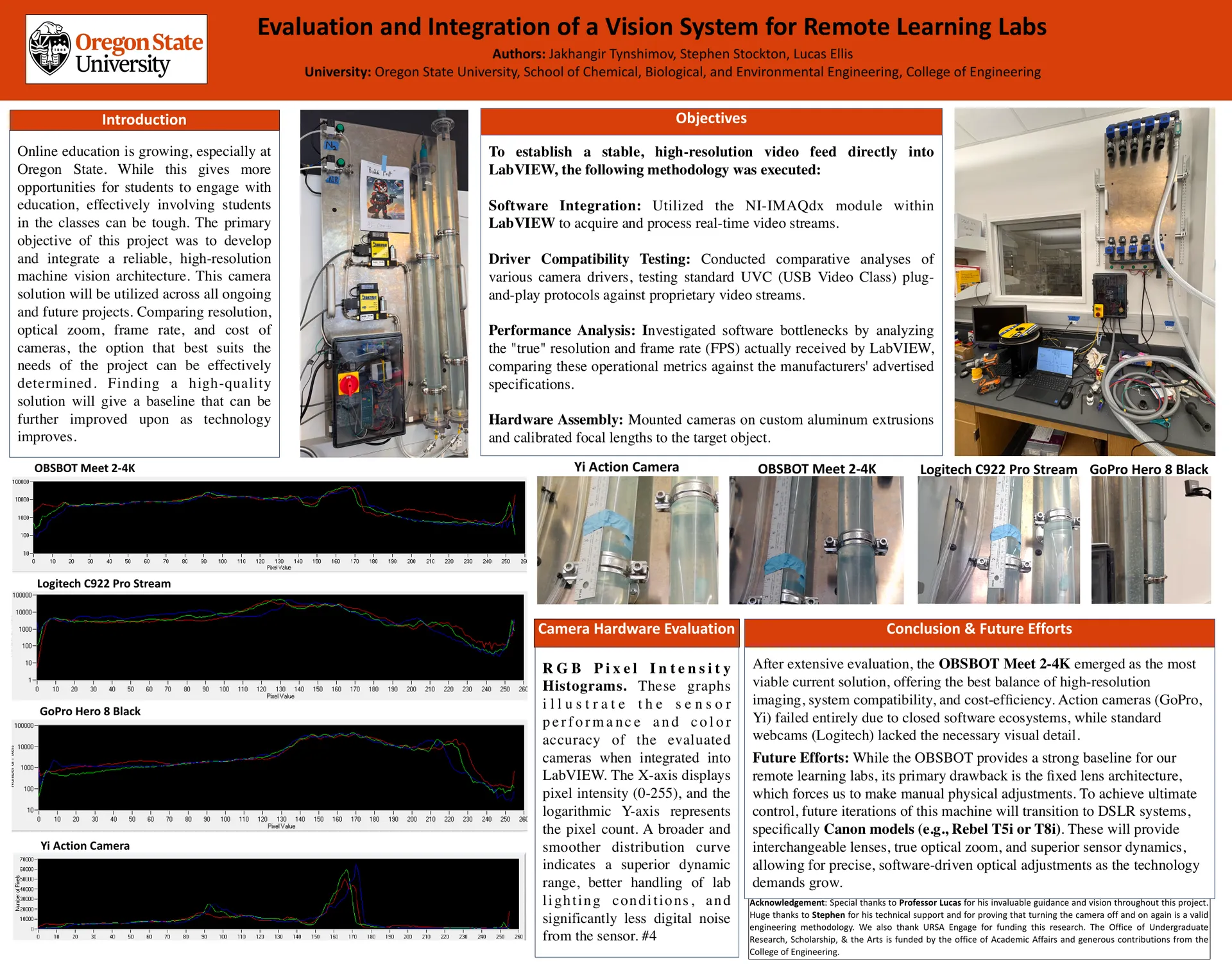
Observing from somewhere else means observing through a camera, and its picture has to arrive inside LabVIEW, beside the rig's controls control panel. The poster puts the objective in one line: “to establish a stable, high-resolution video feed directly into LabVIEW.”
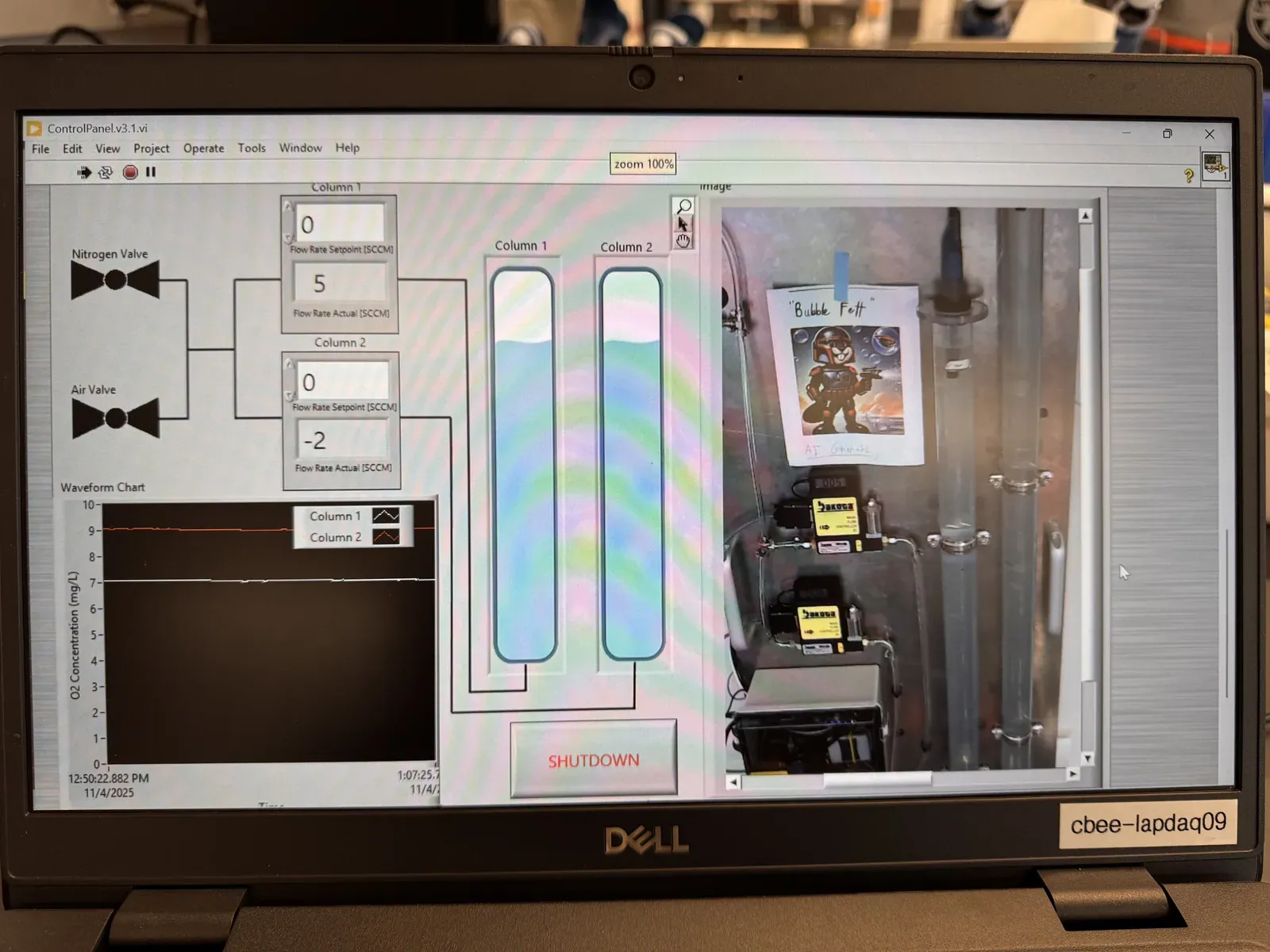
Which camera can hold that feed, and how would you know?
Rigs
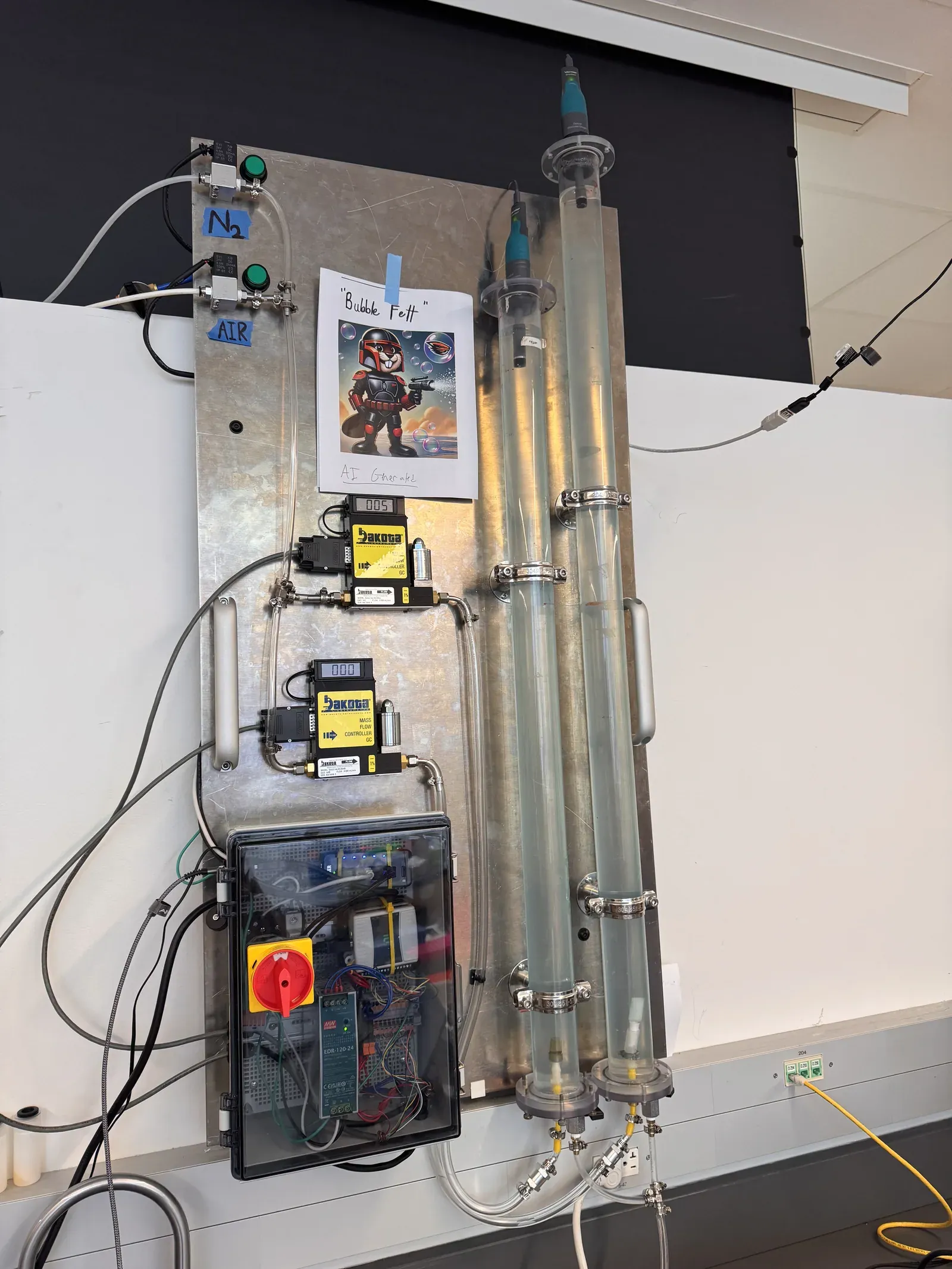
Rig one is built on a steel panel: nitrogen and air valves, two mass-flow controllers, a control box, and two clear columns with probes in them rig one.
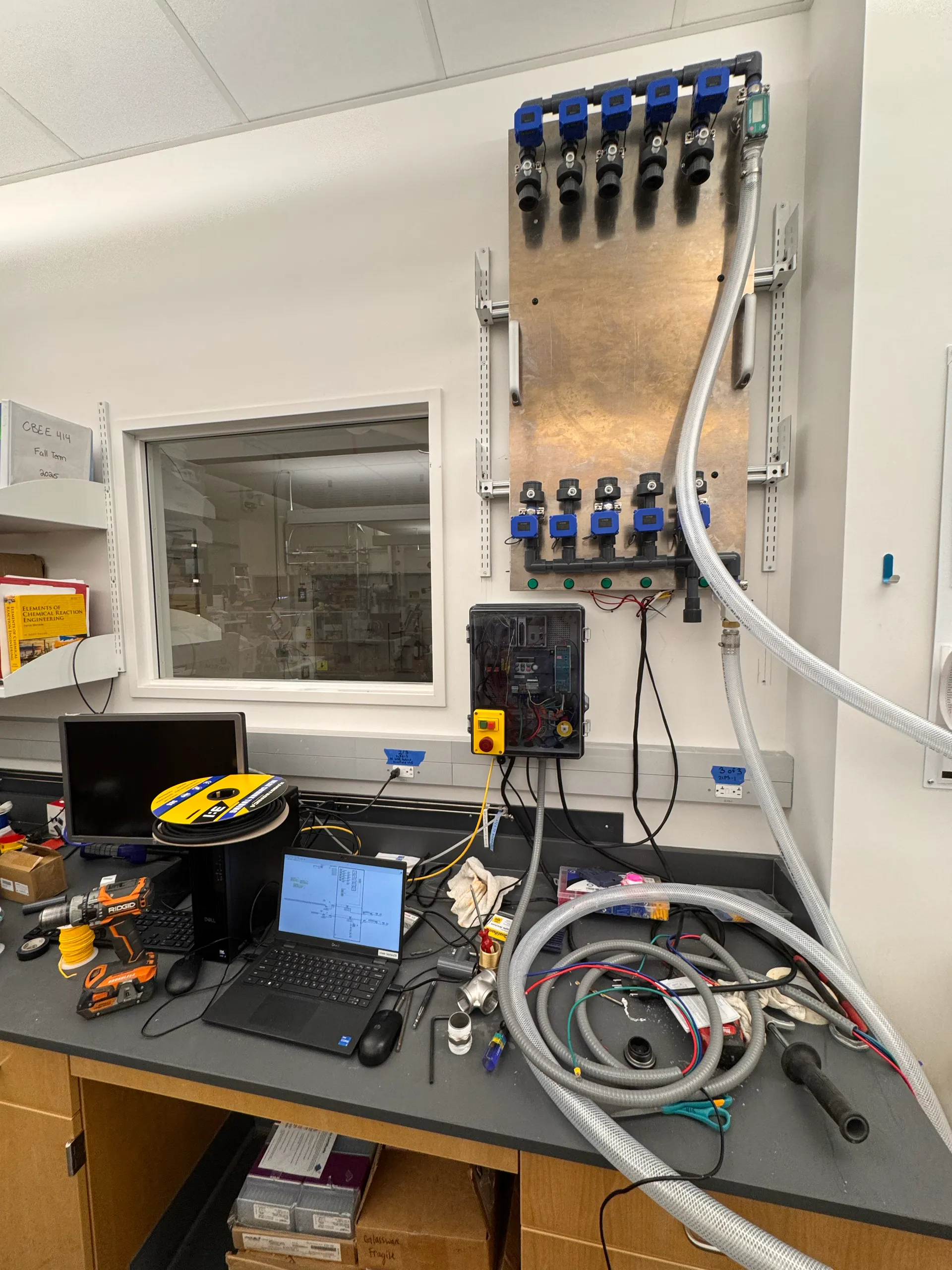
Rig two is a wall panel of sensor fittings, with its own control box and emergency stop, and a laptop on the bench below it rig two.
The clip walks through both, as they stand in the lab walk-through.
Method
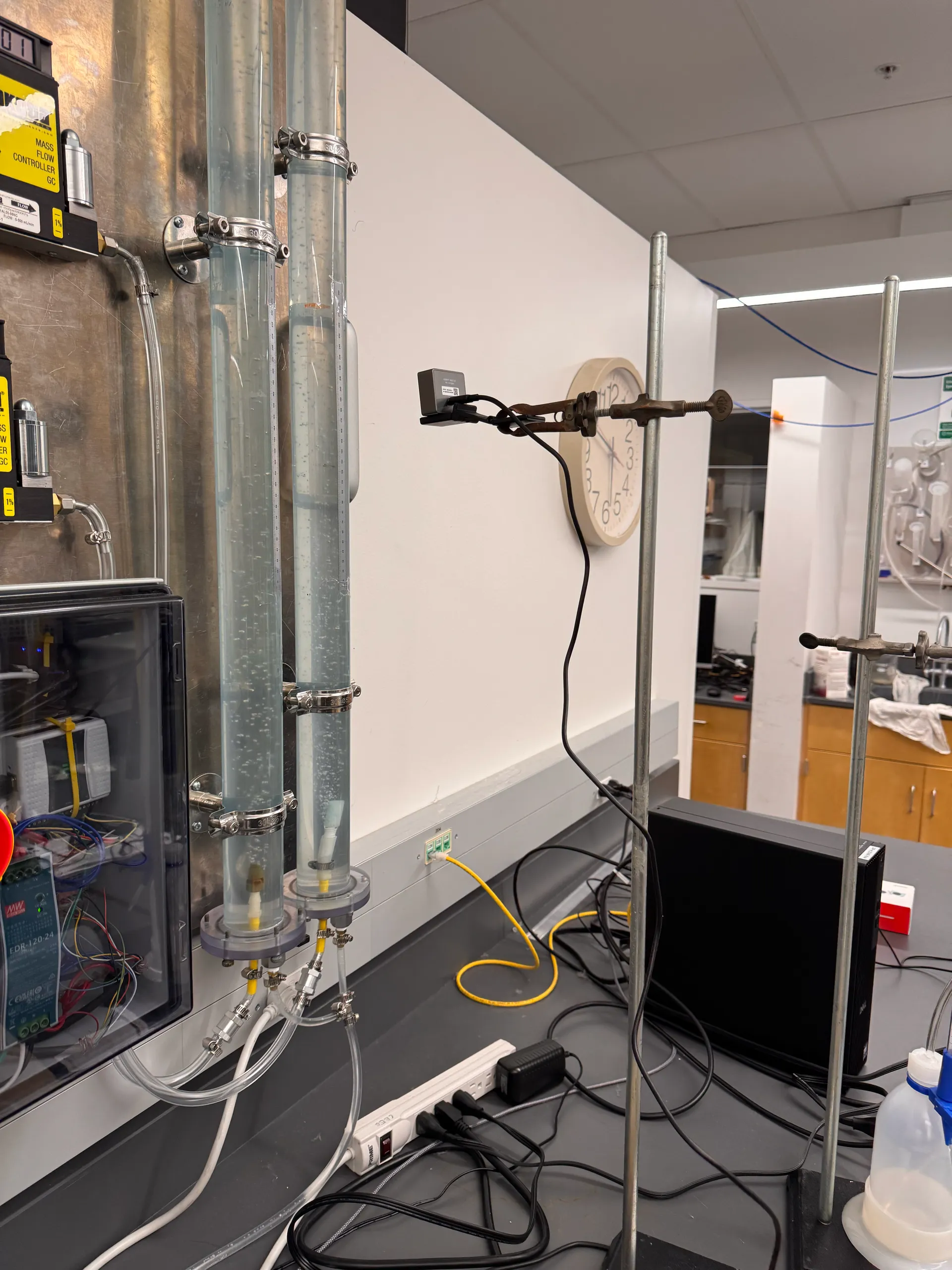
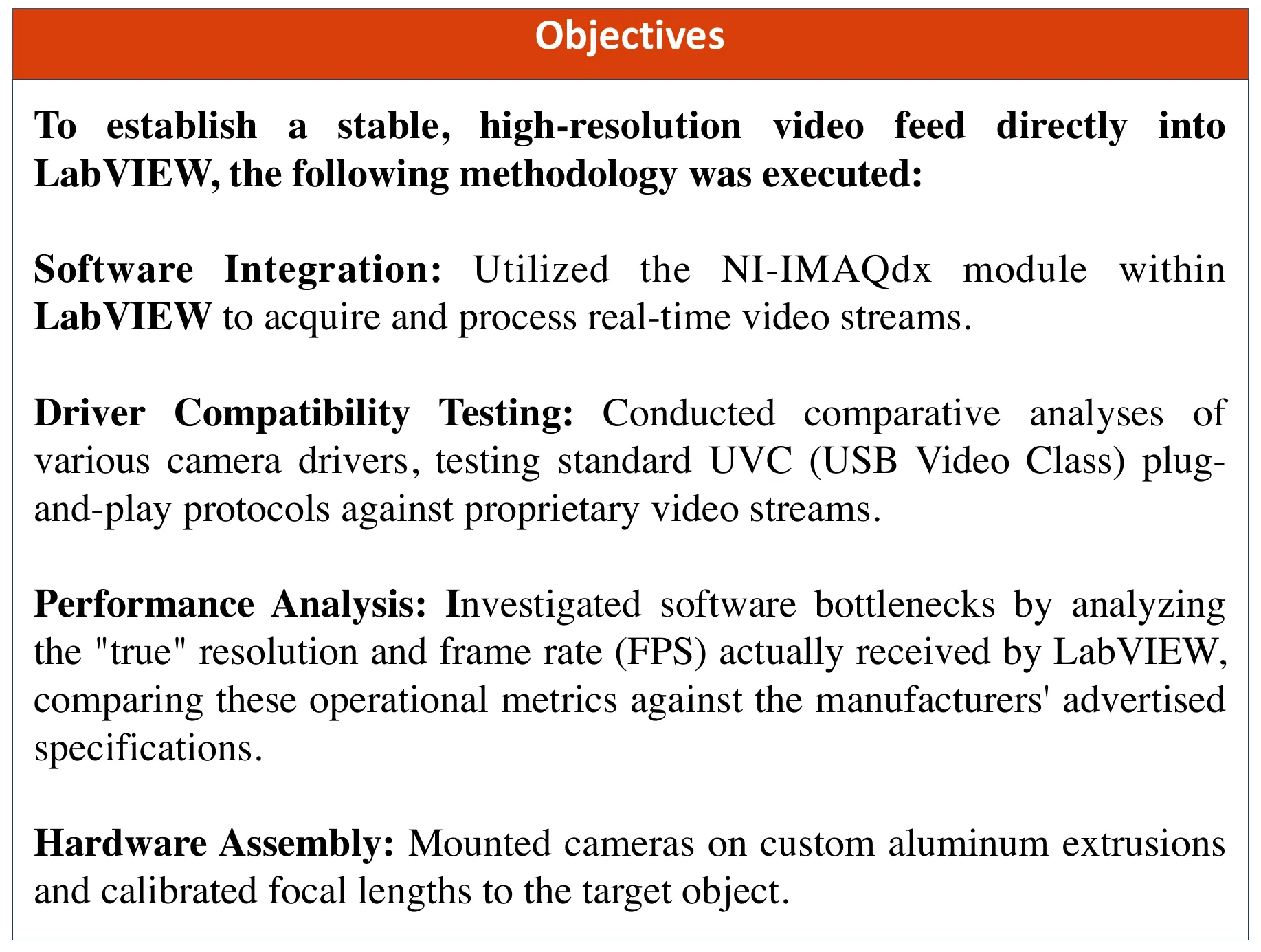
I benchmarked four cameras: the OBSBOT Meet 2 4K, the Logitech C922, the GoPro Hero 8 and the Yi. For a test, the candidate camera was clamped to a stand and aimed at the rig test setup.
Each one fed LabVIEW through NI-IMAQdx, the module the poster names to “acquire and process real-time video streams” block diagram.
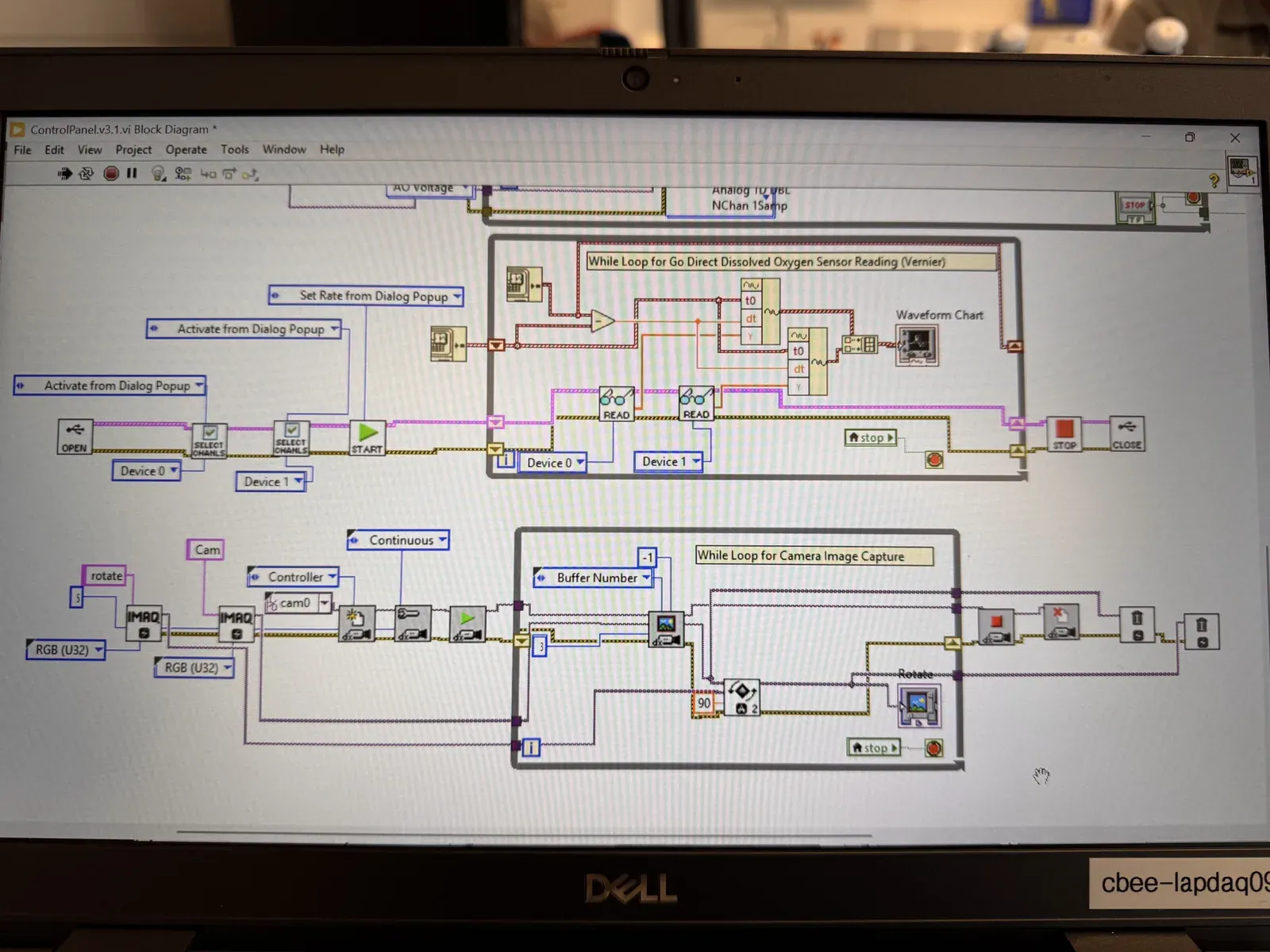
Then the comparison: not the resolution and frame rate on each camera's box, but what reached LabVIEW, the “‘true’ resolution and frame rate (FPS) actually received”, in the poster's words objectives. The drivers were tested too, standard UVC plug-and-play against proprietary video streams.
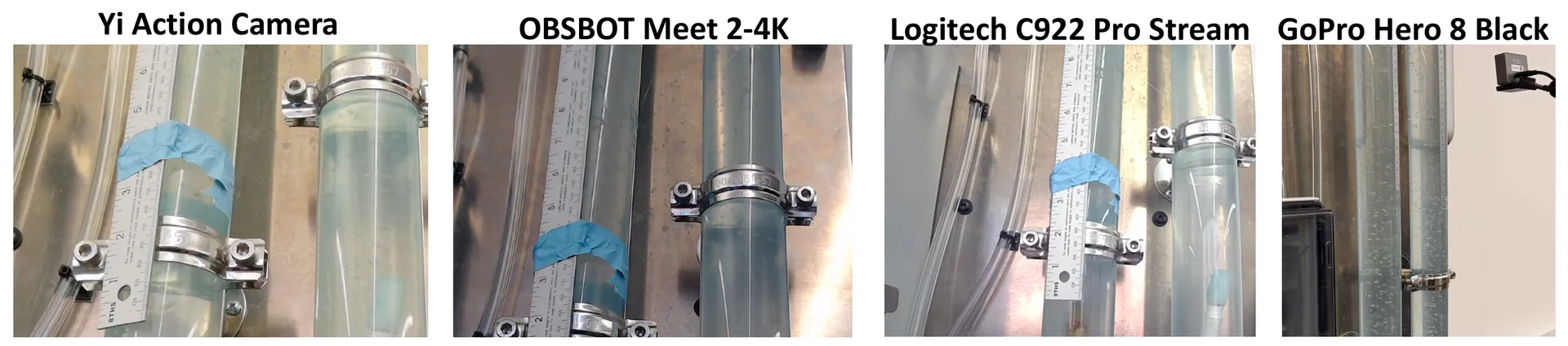
Last, the picture itself. The poster sets the four cameras' views of the rig's columns side by side camera views, and compares them by RGB intensity histogram.
Results
The histograms put pixel intensity, 0 to 255, against a logarithmic pixel count histograms. The poster's reading: “a broader and smoother distribution curve indicates a superior dynamic range.”
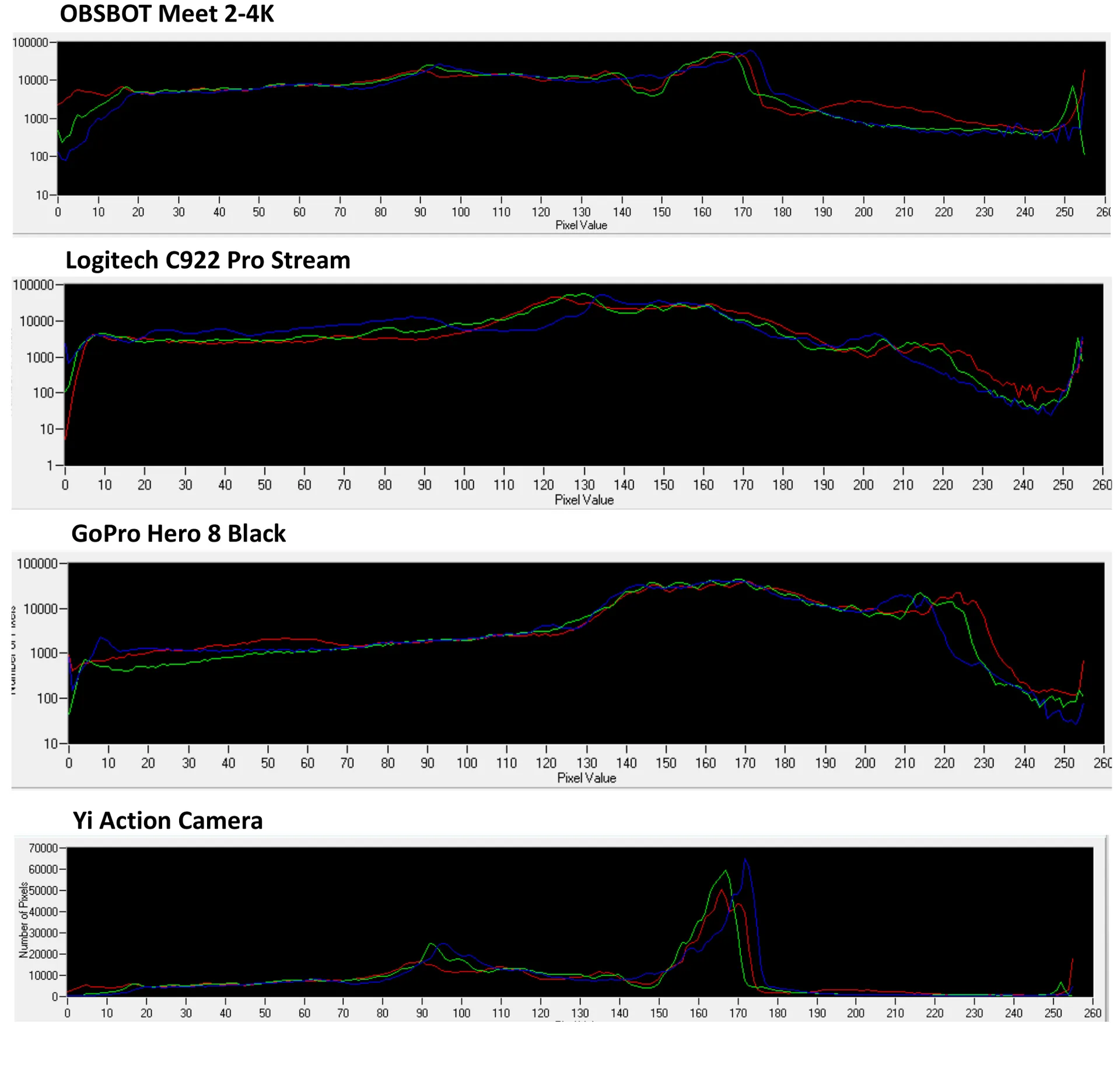
I picked the OBSBOT Meet 2 4K. From the poster: it “emerged as the most viable current solution”, with “the best balance of high-resolution imaging, system compatibility, and cost-efficiency” conclusion.
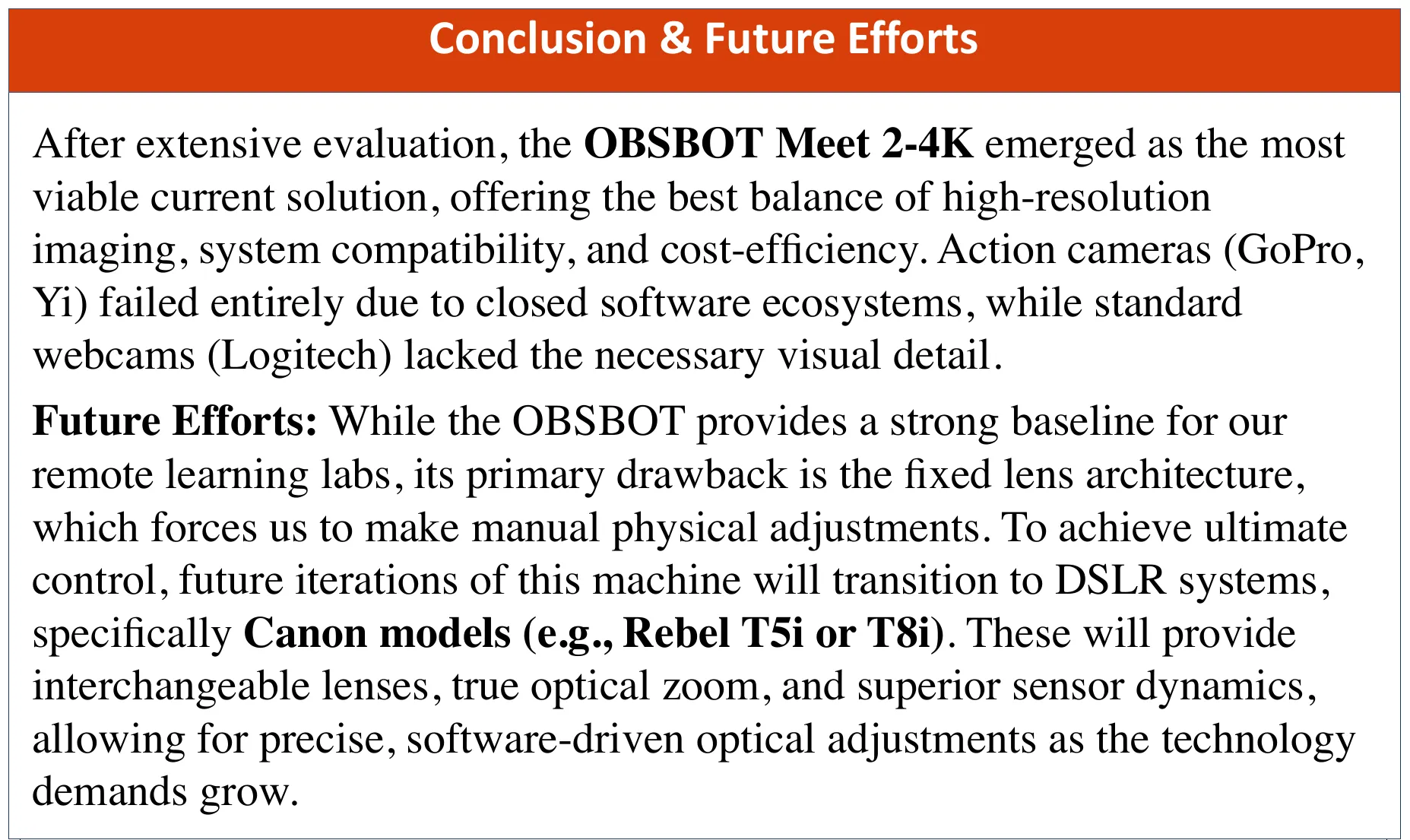
The other three fell short in two ways. The action cameras, GoPro and Yi, “failed entirely due to closed software ecosystems”; the Logitech webcam “lacked the necessary visual detail”.
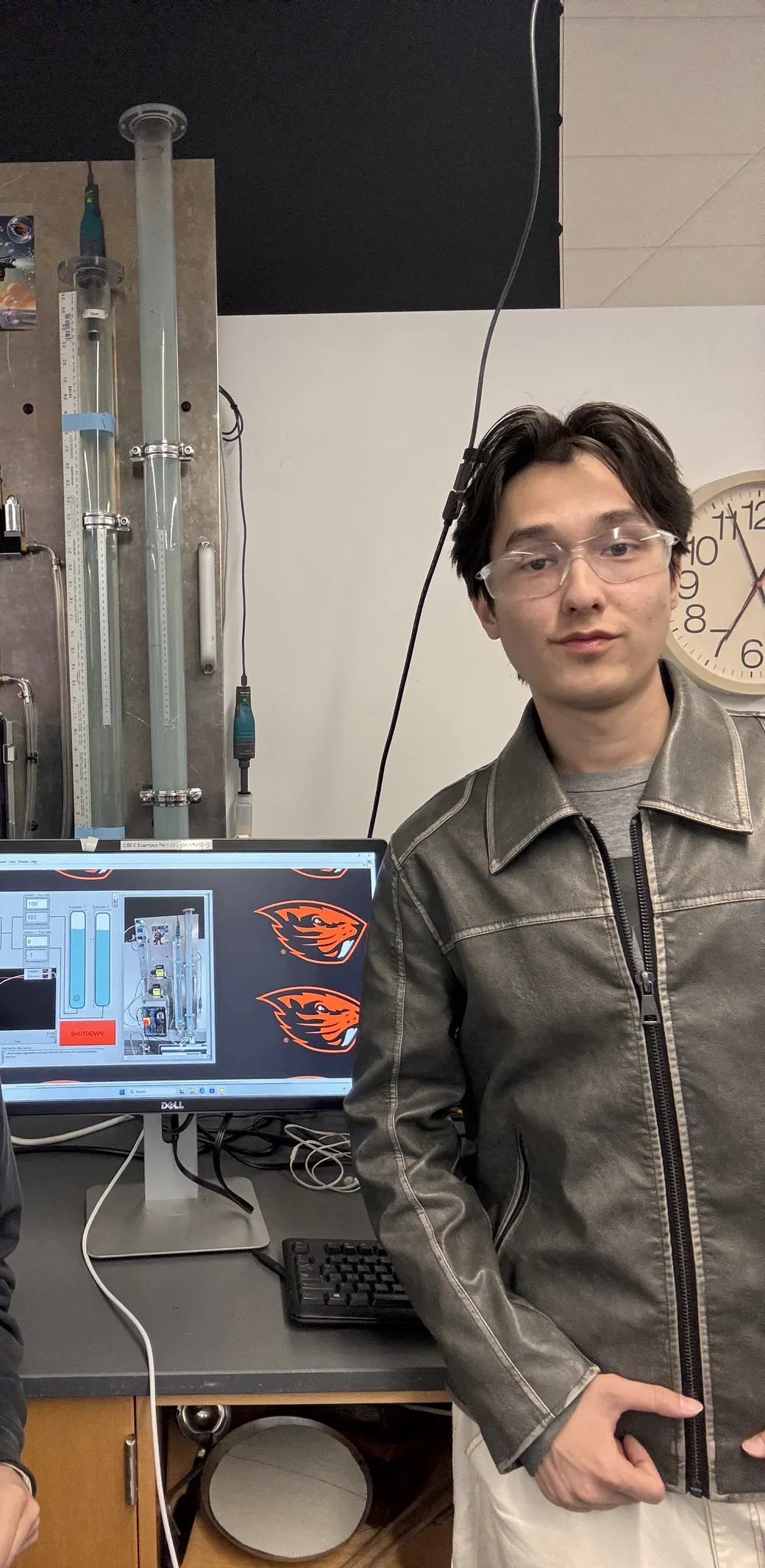
I mounted the OBSBOT on aluminium extrusion, and the poster's method has the focal length calibrated “to the target object” at the rig.
Limits
The OBSBOT is a baseline. Its drawback, from the poster, is “the fixed lens architecture, which forces us to make manual physical adjustments” conclusion.
The next step the poster names is DSLR systems, “specifically Canon models (e.g., Rebel T5i or T8i)”, for interchangeable lenses and true optical zoom.
And the comparison covers four cameras. It chose among them; it does not rank every camera a remote lab could use.
Poster
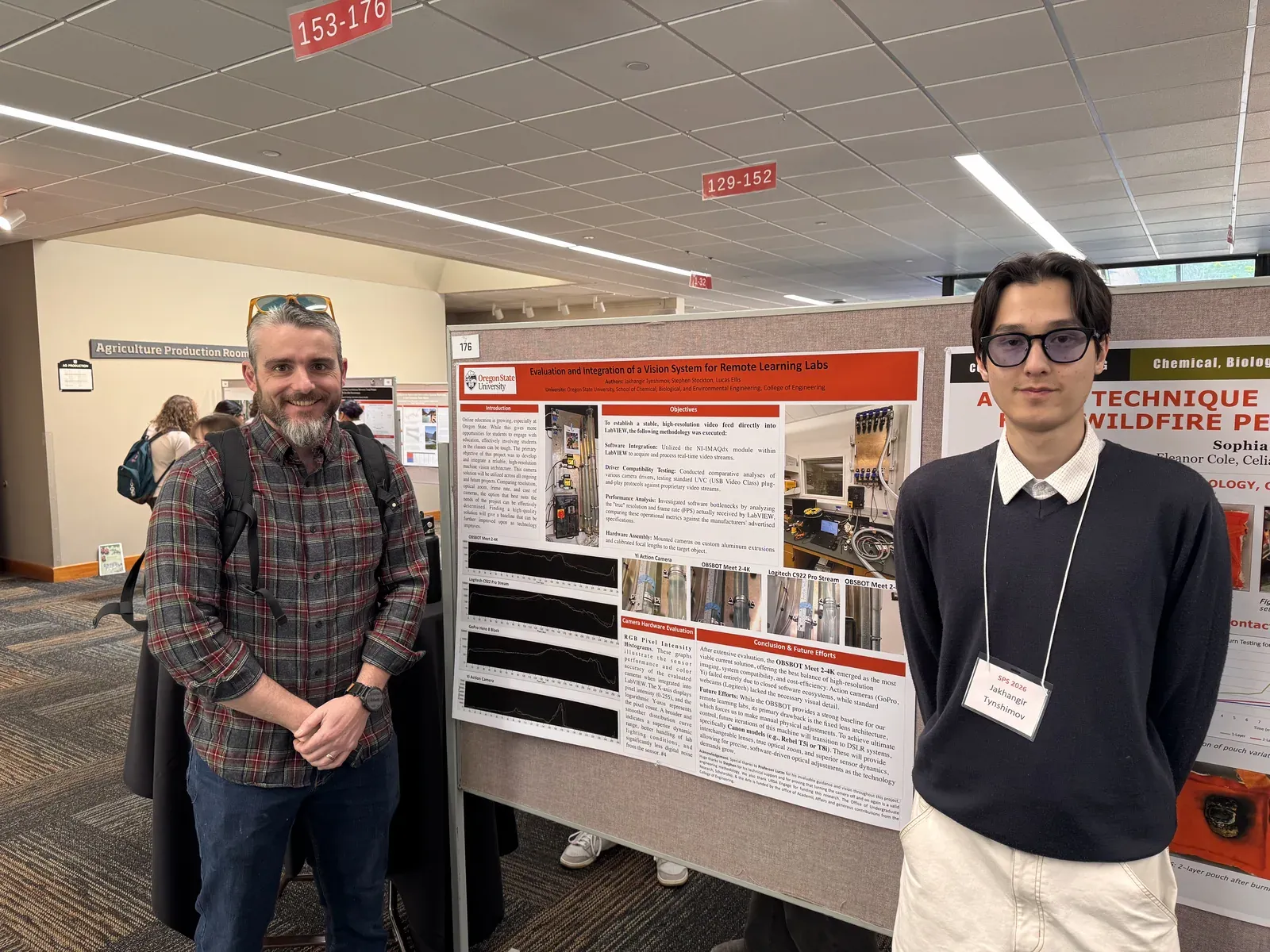
I presented the work as a research poster, “Evaluation and Integration of a Vision System for Remote Learning Labs”, with Stephen Stockton and Lucas Ellis poster.
Acknowledgements
URSA Engage undergraduate research at Oregon State University, 2025 – 2026, with Prof. Lucas Ellis and Stephen Stockton.